In March 2024, Google replaced First Input Delay (FID) with Interaction to Next Paint (INP) as a Core Web Vital. Two years on, the majority of websites are still failing INP benchmarks — creating a significant ranking opportunity for those who fix it. This guide explains what INP is, why it's harder to optimise than LCP, and the exact code-level fixes that move the metric.
What is INP?
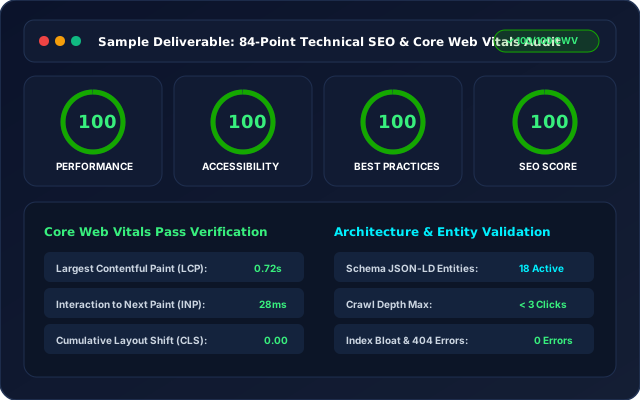
INP (Interaction to Next Paint) measures the latency from when a user interacts with the page (click, tap, key press) to when the browser paints the next frame. It captures the worst 75th percentile interaction over an entire page session. A good INP score is under 200ms. Needs improvement is 200–500ms. Poor is over 500ms.
Why INP is Harder Than LCP
LCP is a single load-time measurement — if your server is fast and your largest image is optimised, LCP is fixable. INP is a runtime metric. It's affected by JavaScript execution on the main thread, third-party scripts, event handler complexity, and rendering pipeline bottlenecks. These are much harder to diagnose and fix without profiling real user interactions.
The 5 Most Common INP Failures
1. Long JavaScript tasks blocking the main thread — often from analytics, chat widgets, or CMP cookie consent scripts. 2. Unoptimised React re-renders that cascade across the component tree on simple interactions. 3. Synchronous XHR calls in event handlers that block paint. 4. CSS animations triggering layout recalculations. 5. Third-party scripts (live chat, A/B testing tools) injecting event listeners without passive flag.
How to Diagnose INP Issues
Use Chrome DevTools' Performance panel and record a user interaction. Look for tasks over 50ms on the main thread. The Long Tasks panel and Interactions tab in Chrome will show you exactly which interactions are failing and what code is responsible. Field data from Chrome UX Report (CrUX) is more reliable than lab data for INP — use Search Console's Core Web Vitals report to see real-user INP scores by URL.
The Fixes That Move INP the Most
1. Break up long tasks with scheduler.yield() or setTimeout(0) to yield to the browser between processing steps. 2. Move heavy computations to Web Workers. 3. Load third-party scripts with async and defer, or use Partytown for complete main-thread isolation. 4. Implement code splitting in React/Next.js so component trees only update what changed. 5. Audit and remove unnecessary event listeners from third-party tools — a single live chat widget can add 200ms to your INP.
Ready to apply this?
Our team does this every day for clients in India, GCC, and globally. Book a free call to see how we'd apply these tactics to your specific situation.
Get a Technical SEO Audit Book a Free Call
A business in Dubai just booked a Free Strategy Call
4 minutes ago